
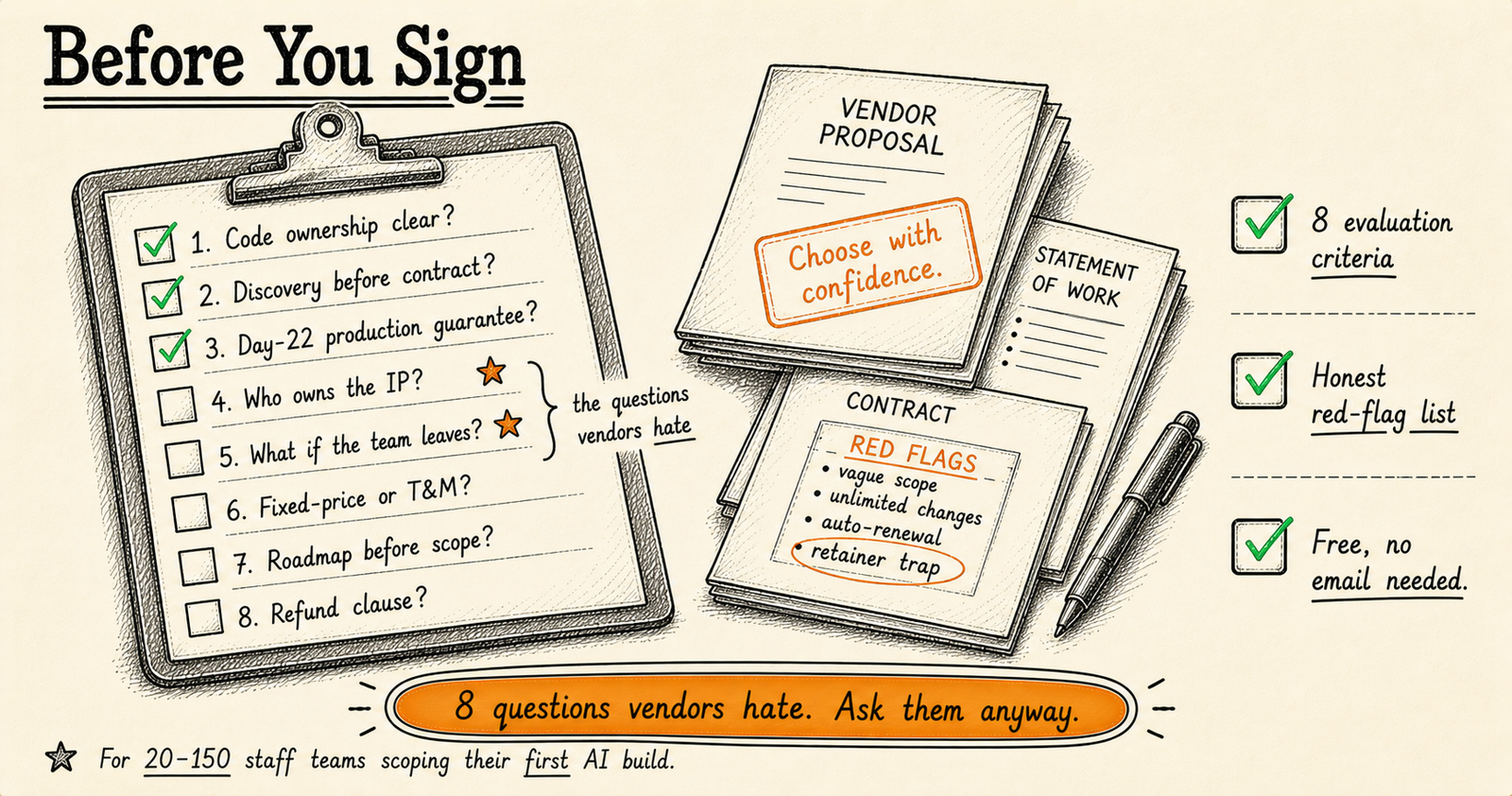
How do you evaluate custom software development partners? Start by defining your requirements with quantified business impact. Shortlist 3–5 vendors using Clutch.co, referrals, and industry directories. Ask the 20 questions in this guide covering experience, process, technical approach, and post-launch support. Use a weighted scoring matrix to compare proposals fairly — and never choose on price alone.
You’re about to spend £10K to £500K on custom software. That is a significant commitment for any business, and the difference between a project that delivers and one that drains your budget often comes down to decisions made before a single line of code is written.
This guide exists to help you spend that money wisely — whether you hire us or someone else. We have no interest in telling you what you want to hear. Over 19 years building enterprise software, I have seen what works, what fails, and the patterns that repeat across almost every engagement. The mistakes in this guide are real. The advice is hard-won.
Read it before you speak to any vendor. The 22 minutes you spend here will save you months of frustration and potentially tens of thousands of pounds.
Business owners, CTOs, operations managers, and project leads who are about to commission custom software for the first time — or who have been burned before and want to avoid repeating the experience. No technical knowledge required.
Before You Talk to Any Vendor: Define Your Requirements
The single biggest predictor of project failure is poorly defined requirements. Not bad developers. Not insufficient budget. Poorly defined requirements. When a business approaches a vendor with “we need an app” or “we want to use AI,” they are setting the stage for scope creep, misaligned expectations, and an end product that solves the wrong problem.
Before you contact a single vendor, you need clear answers to six questions:
1. What problem are you actually solving?
Not “we need a customer portal.” Instead: “Our support team spends 14 hours per week answering the same 30 questions. We need customers to find answers themselves.” The more specific you are about the pain, the more precisely a vendor can propose a solution. Quantify the cost of the current problem — if you cannot, you may not have a problem worth solving with custom software.
2. Who are the users?
How many people will use this software? Are they internal employees or external customers? What is their technical skill level? Will they use it on desktop, mobile, or both? A tool for 5 warehouse staff has fundamentally different requirements than a platform for 50,000 end users. This changes everything from architecture to testing to deployment.
3. What systems does this need to integrate with?
List every system the new software must talk to: your CRM, ERP, accounting software, payment gateway, email provider, existing databases. Integration complexity is one of the most underestimated cost drivers in software projects. A project that is straightforward in isolation can double in cost when it needs to synchronise with four legacy systems.
4. What are the must-haves versus the nice-to-haves?
Be honest with yourself. If your list of “essential” features is 40 items long, nothing is essential. Use the MoSCoW method: Must have, Should have, Could have, Will not have this time. A good vendor will help you refine this, but you should walk into the conversation with a first draft.
5. What is your realistic budget range?
Many buyers refuse to share a budget, thinking it gives them negotiating leverage. It does the opposite. Without a budget range, vendors either lowball to win the deal or overengineer because they have no constraints. Share a range — not a single number — and you will receive dramatically better proposals. More on this in the pricing section.
6. What is your deadline, and why?
There is a difference between “we need this by September because of a regulatory requirement” and “our CEO said September.” Real deadlines driven by business constraints are useful for planning. Arbitrary deadlines create pressure that leads to shortcuts. Know which one yours is.
Pre-Vendor Contact Checklist
Before you reach out to any vendor, confirm you can tick every box below. If you cannot, spend another week refining your requirements. It will save you far more time than it costs.
- Written problem statement with quantified business impact (hours saved, revenue at risk, cost of current process)
- User personas defined: who, how many, technical level, devices they use
- Complete list of systems the software must integrate with, including version numbers and API availability
- Requirements prioritised into must-have, should-have, and nice-to-have using MoSCoW or similar
- Realistic budget range established and approved by decision-maker
- Timeline defined with rationale — hard deadline or flexible target
- Single decision-maker identified who can approve scope changes, designs, and deliverables
- Data requirements documented: what data exists, where it lives, what format, what quality
- Compliance and security requirements listed (GDPR, industry regulations, data residency)
- Success criteria defined: how will you measure whether this project delivered value in 6 months?
How to Find and Shortlist Vendors
Start with a long list of 5 to 8 candidates. Narrow to 3 for detailed evaluation. Going beyond 5 for detailed proposals wastes your time and the vendors’ time — you will not meaningfully compare 8 proposals.
Where to look
- Clutch.co — The most reliable review platform for software agencies. Reviews are verified through client interviews, so they are harder to fake than Google reviews. Filter by location, service type, budget, and industry.
- Toptal and vetted freelance platforms — If your project is small enough for 1–2 developers, vetted freelancer platforms can work well. The screening is rigorous: Toptal claims to accept only 3% of applicants.
- Referrals from your network — Still the most reliable source. Ask specifically: “Would you hire them again?” Not “Were they good?” The distinction matters.
- Industry-specific directories — If you need healthcare software, search for vendors with proven healthcare experience. Generalists can build anything; specialists have already solved your category of problem.
- Conference speakers and content creators — Vendors who publish detailed technical content and speak at industry events tend to have deeper expertise than those who rely purely on advertising.
Red flags during initial research
- No case studies or portfolio — If a company cannot show you what they have built, ask yourself why.
- All reviews are from the same month — Likely solicited in a batch. Look for reviews spread across years.
- They promise everything — “We do web, mobile, AI, blockchain, IoT, AR/VR, and quantum computing.” A team of 15 cannot be genuinely strong in all of these.
- No named individuals — If you cannot find out who actually works there, the team may be entirely subcontracted.
- Aggressive sales tactics — If they pressure you for a commitment before understanding your requirements, that behaviour will not improve during the project.
For a deeper look at evaluating AI-focused partners specifically, see our guide on the best AI development partners in the UK.
The 20 Questions to Ask Every Vendor
These are the questions that separate a productive vendor conversation from a polished sales pitch. Ask every vendor the same questions so you can compare answers directly. Pay attention not just to what they say but how they say it. Confident vendors welcome hard questions. Weak ones deflect.
Experience & Track Record
- Can you show me a project similar to what I need?
Good answer: They show a specific project, explain what was challenging, and connect the lessons to your situation. Bad answer: “We’ve done lots of similar projects” with no specifics. - Who specifically will work on my project, and can I see their experience?
Good answer: They name individuals, share relevant backgrounds, and confirm availability. Bad answer: “We’ll assemble the right team” — this often means they have not decided yet, or the sales team and delivery team are different groups. - What is the largest project you have delivered, and what went wrong?
Good answer: Honest about challenges and what they learned. Every experienced team has war stories. Bad answer: “Everything went smoothly” — either they are lying or they have not done complex work. - Can I speak to a recent client — not your best reference, but your most recent?
Good answer: They provide contact details without hesitation. Bad answer: “We’ll need to check with them first” — fine for privacy, but watch if the reference never materialises. - What projects have you turned down, and why?
Good answer: They describe situations where they were not the right fit and recommended alternatives. This shows integrity and self-awareness. Bad answer: “We never turn down work.”
Process & Communication
- Walk me through your development process from kickoff to launch.
Good answer: A clear, structured process with defined phases, milestones, and review points. Bad answer: Vague descriptions or buzzwords without substance (“agile synergy”). - How often will we have meetings, and who will attend?
Good answer: Defined cadence (weekly or biweekly), with the technical lead present. Bad answer: “Whenever you need us” — sounds flexible, but usually means no structure. - What tools do you use for project management, and will I have access?
Good answer: They use established tools (Jira, Linear, Notion, Asana) and you get full visibility into progress. Bad answer: “We’ll send you email updates.” - How do you handle it when the project is behind schedule?
Good answer: Early communication, options presented (reduce scope, extend timeline, add resources), transparent about trade-offs. Bad answer: “That rarely happens” or “we work weekends.” - What do you need from me to keep the project on track?
Good answer: Specific expectations — response times for feedback, availability for testing, designated decision-maker. Bad answer: “Nothing, we handle everything.” No vendor can deliver well without client involvement.
Technical Approach
- What technology stack do you recommend for this project, and why?
Good answer: They recommend based on your specific requirements, team capabilities, and long-term maintainability. Bad answer: “We use [single framework] for everything” — the tool should fit the job, not the other way around. - How do you approach security, and what is your track record?
Good answer: Specific practices — code reviews, dependency scanning, penetration testing, OWASP compliance. Bad answer: “We take security very seriously” with no specifics. - What does your testing process look like?
Good answer: Automated tests, manual QA, user acceptance testing built into the timeline. Bad answer: “We test before launch” — testing at the end is not testing, it is hoping. - How do you handle scalability if our user base grows 10x?
Good answer: Architecture decisions made now that allow scaling later without a rewrite. Honest about what “10x” would actually require. Bad answer: “It’s in the cloud so it scales automatically.” - Will you document the codebase and architecture decisions?
Good answer: Documentation is built into the process, not an afterthought. They show examples of their documentation from previous projects. Bad answer: “The code is self-documenting.”
Ownership & Post-Launch
- Who owns the source code and intellectual property?
Good answer: You own everything, full stop. It is in the contract. Bad answer: Any hesitation or conditions like “you own the custom parts but we retain our framework.” Clarify exactly what “our framework” means. - Can I take the codebase to another developer if this relationship does not work out?
Good answer: Yes, and they will help with the transition including documentation and knowledge transfer. Bad answer: Any form of “no” or vendor lock-in. - What happens after launch — who fixes bugs?
Good answer: A defined warranty period (typically 30–90 days) for bug fixes, with clear support terms after that. Bad answer: “We can discuss a maintenance contract” — discuss it now, not when you are already dependent. - How do you handle hosting and deployment?
Good answer: They recommend an approach, set it up, and ensure you can manage it independently. Bad answer: “We host it on our servers” — this creates dependency. Your software should run on infrastructure you control. - What is your availability for post-launch changes and enhancements?
Good answer: Clear terms for ongoing work — retainer options, hourly rates, response times. Bad answer: “We’ll always be available.” Nobody is always available. Get specifics.
Want to apply this checklist to KORIX?
Book a discovery call and ask us every question on this list. We welcome the scrutiny.
Book a Discovery Call →Understanding Pricing Models
Pricing is where most buyers get confused — and where the wrong choice can cost you far more than the initial quote suggests. There are four common models, and none of them is universally best. The right choice depends on how clearly defined your requirements are and how likely they are to change.
Fixed Price
When it works: Your requirements are crystal clear, unlikely to change, and the project scope is well-defined. Think: a brochure website, a simple data migration, or a tool with a very specific function. The vendor quotes a price, and that is what you pay.
When it fails: Requirements evolve during the project — which they almost always do for complex software. Fixed-price contracts create an adversarial dynamic: every change is a “change request” that costs extra, so the vendor is incentivised to build exactly what was specified even if everyone realises mid-project that it is wrong.
Time & Materials
When it works: Complex projects where requirements will evolve. You pay for actual time spent, which allows the flexibility to adjust direction based on what you learn during development. This model rewards collaboration.
When it fails: If there is no budget ceiling and no regular check-ins. Without constraints, time and materials can spiral. Always pair this model with a budget cap and weekly progress reviews.
Retainer
When it works: Ongoing development work where you need consistent availability. You pay a monthly fee for a guaranteed number of hours. This is ideal for continuous product development after initial launch.
When it fails: If your needs are sporadic. Paying for 80 hours per month when you only use 30 is expensive. Some retainers roll over unused hours, but many do not.
Hybrid (Fixed Phases + Time & Materials)
When it works: Most projects, honestly. A fixed-price discovery phase defines requirements and architecture. Then development proceeds on time and materials with a budget range and milestone check-ins. This combines the certainty of fixed pricing with the flexibility of T&M.
When it fails: If the vendor uses the discovery phase to lock you in and then inflates the T&M portion. Ensure the discovery deliverables are yours to take elsewhere.
| Model | Best For | Risk To Buyer | Flexibility |
|---|---|---|---|
| Fixed Price | Clear, stable scope | Low (price known) | Low |
| Time & Materials | Complex, evolving projects | Medium (costs can grow) | High |
| Retainer | Ongoing development | Medium (unused hours) | Medium |
| Hybrid | Most custom projects | Low–Medium | High |
For most custom software projects, we recommend the hybrid model. A fixed-price discovery phase (£2K–£8K depending on complexity) gives both sides clarity before committing to full development. If you take the discovery output to another vendor, you still have a solid specification document. No wasted money.
For detailed cost ranges by project type, read our guide on what custom AI systems actually cost in 2026.
How to Evaluate Proposals
You have your shortlist of three vendors and three proposals in front of you. The temptation is to compare prices and pick the cheapest. Resist that temptation. The cheapest quote is almost never the cheapest project.
What to compare beyond price
- Understanding of your problem — Does the proposal demonstrate that they understood your business challenge? Or did they just restate your requirements back to you?
- Proposed approach — Is the methodology clear and logical? Can you follow the reasoning from problem to solution?
- Team composition — Who will actually work on this? What are their roles and experience levels?
- Timeline realism — If one vendor quotes 4 weeks and the other two quote 12 weeks, the 4-week vendor is either cutting corners or does not understand the scope.
- What is excluded — The most important part of any proposal is what it does not include. Hosting? Training? Data migration? Post-launch support? If these are excluded, they are still costs — you will just pay for them later.
- Risk acknowledgement — Good proposals identify risks and explain how they will be mitigated. Bad proposals imply everything will go perfectly.
Proposal red flags
- No breakdown of how the price was calculated
- Timeline with no milestones or review points
- Generic proposal that could apply to any project (your company name appears only on the cover page)
- Technology recommendation with no justification for why that stack suits your needs
- No mention of testing, documentation, or deployment process
- Assumptions section is missing or empty
- Proposal arrived within 24 hours of your brief — they did not spend enough time understanding it
Why the cheapest quote costs the most
A pattern I have seen repeatedly across 19 years: a client chooses the lowest bid, the project fails or delivers something unusable, and they end up hiring a second vendor to rebuild it. The total cost is almost always higher than the mid-range quote they rejected. Low quotes typically mean one of three things: the vendor underestimated the complexity, they plan to use junior developers, or they intend to make up the difference through change requests. None of these outcomes serve you.
The Contract: What to Negotiate
Do not sign a contract you have not read thoroughly. These are the clauses that matter most:
IP ownership
You should own all intellectual property created during the project. Full stop. This includes source code, designs, documentation, and any custom algorithms. Some vendors retain ownership of reusable components or frameworks — this is reasonable if it is clearly defined and does not prevent you from maintaining or modifying your software independently.
Payment milestones
Tie payments to deliverables, not calendar dates. Example: 20% on signing, 20% on design approval, 30% on development milestone (working prototype), 20% on launch, 10% after 30-day warranty period. Never pay more than 30% upfront. If a vendor requires 50% upfront, ask why — they may have cash flow problems, which is a risk you are absorbing.
Change request process
Requirements will change. The contract must define how changes are handled: how they are documented, how the cost and timeline impact is assessed, and who approves them. Without this, every change becomes a negotiation that erodes the relationship.
Warranty period
A minimum 60-day warranty period post-launch for bug fixes at no additional cost is standard. “Bug” should be defined clearly: the software does not perform as specified in the agreed requirements. Feature requests and changes to requirements are not bugs.
Source code escrow
For large projects, consider a source code escrow agreement. The code is deposited with a neutral third party and released to you if the vendor ceases trading, breaches the contract, or fails to provide support. This is insurance. For smaller projects, regular code delivery (you receive the code at each milestone) achieves the same goal.
Exit clause
What happens if the relationship breaks down mid-project? The contract should specify: what you receive (code written to date, documentation), what the payment obligations are (you pay for completed milestones), and the notice period. Both sides should have the right to terminate with reasonable notice.
Need help evaluating vendors?
We will review your shortlist, your proposals, or your contract terms. Even if KORIX is not in the running.
Book a Free Consultation →During the Project: How to Be a Good Client
This section might be uncomfortable, but it is honest: the client’s behaviour has as much impact on project success as the vendor’s capability. Here is what separates clients who get excellent results from those who struggle.
Respond quickly
When your vendor asks a question, answers it within 24 hours if possible. Every day of delay on your side adds at least a day to the timeline — often more, because the developer moves to another task and needs time to context-switch back. I have seen three-month projects stretch to nine months because of slow client responses.
Designate one decision-maker
Nothing kills a project faster than “design by committee.” One person should have the authority to approve designs, sign off on features, and make scope decisions. Others can provide input, but one person decides. If your organisation cannot identify this person, you are not ready to start the project.
Test early and often
Do not wait until the end to see what was built. Review prototypes, test staging environments, and provide feedback throughout. Problems found in week 3 cost a fraction of what they cost in week 12. Block time in your calendar for testing — treat it as a meeting you cannot skip.
Do not change scope without discussing impact
Saying “Can we also add...” in a casual meeting is how budgets explode. Every change has a cost and timeline impact. That does not mean changes are bad — some of the best features emerge during development. But every change should go through the agreed change request process so everyone understands the trade-offs.
Post-Launch: The 90-Day Checklist
Launch day is not the finish line. The 90 days after launch determine whether your investment delivers lasting value or slowly degrades. Here is what to ensure:
- Documentation is complete: architecture overview, deployment guide, API docs, admin guide
- All source code and credentials have been transferred to you or your designated repository
- Your team has been trained on how to use the software (recorded sessions, not just a quick walkthrough)
- Monitoring and alerting is set up: you know when the system goes down before your users tell you
- Backup and disaster recovery is configured and tested (not just configured — tested)
- Performance benchmarks are documented: you know what “normal” looks like so you can spot degradation
- Security review is complete: penetration testing, dependency audit, access controls verified
- A maintenance plan is in place: who handles updates, security patches, and infrastructure changes
- User feedback mechanism is established: how do users report issues or request improvements
- Post-project retrospective is scheduled: what went well, what did not, and what you will do differently next time
Assuming the software is “done.” Software requires ongoing maintenance: security patches, dependency updates, infrastructure changes, bug fixes that emerge under real usage. Budget for this from the start. A reasonable estimate is 15–20% of the initial development cost per year for maintenance.
We are not going to claim we are perfect for every project. We are a small, specialist team. Here is what we offer and where our limitations are:
Code ownership: You own everything we build. Full source code, documentation, and deployment scripts are delivered at every milestone. No lock-in.
Payment structure: Milestone-based payments tied to deliverables. We do not require more than 25% upfront.
Direct access: You work directly with a senior engineer — the person writing the code. No account managers translating between you and the development team.
Honest scoping: If we think your project is too large for our team, we will tell you. If we think your budget does not match your requirements, we will tell you that too. We would rather lose a deal than deliver a bad project.
Track record: 5.0 rating on Clutch, and a founder with 19 years building enterprise software. We can provide references from recent clients, not just our best ones.
Limitation: We are not a 50-person agency. If your project requires a large dedicated team working in parallel across multiple workstreams, we are not the right fit. We will tell you that upfront and recommend partners who are.
Ready to start your search?
If KORIX is on your shortlist, book a discovery call. If we are not the right fit, we will tell you — and we will tell you who might be.
Book a Discovery Call →Define your requirements before talking to vendors. Ask 20 hard questions. Never choose on price alone.
The cheapest quote is almost never the cheapest project. Use the hybrid pricing model, tie payments to milestones, and invest in a paid discovery phase before committing to full development. Budget 1.5× the quoted amount and 15–20% annually for maintenance.
Choosing an AI partner: the full series
This article is part of our Choosing an AI partner series. The pillar guide covers the whole topic; the others each go deeper on one part.
- Pillar guideHow to evaluate an AI implementation partnerStart here: the proof to ask for, the red flags, and the questions that separate operators from sales decks.
- Best AI implementation partners in the UKPartners working in the UK side by side, and the criteria that actually separate them.
- AI agent development companies reviewedAn honest review on price, code ownership, governance and production record.
- AI agency vs in-house vs consultancyCost, speed, ownership and risk compared, and when each route is the wrong fit.
- AI consultancy vs AI deploymentTwo different products, and a four-question test for which one you need.
- How to write an AI project RFPThe requirements, questions and scope to include so you can compare vendors fairly.
- Build vs buy AI agentsBuy the commodity; build only what touches your data or regulated actions.
- Build vs buy softwareA framework for when to build, when to buy, and the real total cost of each.
- Custom AI vs off-the-shelf toolsWhen a packaged product is enough and when you need something built.
Recommended Reading
How much does custom software cost?
Custom software typically costs £10K–£500K+ depending on complexity, integrations, and compliance requirements. Budget 1.5× the quoted amount for a safety margin. Read our AI cost guide for detailed ranges.
What pricing model should I use?
The hybrid model works best for most projects: a fixed-price discovery phase (£2K–£8K) followed by time-and-materials development with a budget cap. This combines certainty with flexibility. See the pricing section for details.
Should I share my budget with vendors?
Yes. Share a range, not a single number. Without a budget range, vendors either lowball or overengineer. A range lets them design a solution that fits your reality. Read our RFP guide for the full reasoning.
What should I look for in the contract?
Key clauses: full IP ownership, milestone-based payments (never more than 30% upfront), defined change request process, minimum 60-day warranty, source code escrow, and clear exit terms. See the contract section above.
What ongoing costs should I expect?
Budget 15–20% of the build cost per year for maintenance (security patches, bug fixes, updates). Plus hosting costs of £200–£2,000+/month depending on scale. This is non-negotiable — software that is not maintained degrades.